
OKX sign-up walkthrough · 2026
How to Create an OKX Account: Step-by-Step Sign-Up Guide (2026)
OKX sign-up starts with a dropdown, not an email field: Country/region of residence. Your answer decides which OKX company serves you and what you can use later. Get that field right and the rest is routine; the sections below go screen by screen, then deal with referral codes, missing codes and the ID check.
Last checked: October 22, 2026 · Screenshots captured October 2026 · About 14 min read
What you need to create an OKX account
Have these ready before you start. Identity verification comes after sign-up, but OKX treats it as required. The details below come from OKX's two registration articles in its Support Center (How do I sign up for an OKX account? and How do I register an account on OKX?).
- Age
- At least 18, or the minimum legal age shown on the registration page. OKX says parental consent and personal circumstances can't be used to make an exception.
- Email address
- One you control and will keep. OKX uses it for notifications, identity verification, password resets and account recovery. Don't use a temporary address or someone else's.
- Mobile number
- OKX's sign-up article says both a phone number and an email must be bound. Its newer registration FAQ says whether a phone number is required depends on the options shown on the page. Go by what the page asks for. If it asks for a number, use a real one you control that can receive SMS.
- Verification codes
- A six-digit code goes to your email and another to your phone. Each must be entered within 10 minutes.
- Password
- OKX asks for a mix of numbers, letters, symbols, and upper and lower case.
- Referral code
- Optional. If you use one, enter it during sign-up, because it can't be added afterwards.
- Identity verification
- Required after registration. Until it's done, the account can't buy or sell crypto, deposit, withdraw (including internal transfers), borrow or transfer funds.
- One account per person
- Each phone number and email address can register only one OKX account, and one identity document can be linked to only one account.
The Country/region field: choose where you live, not your passport country
Choose the country or region where you currently and ordinarily live. OKX's registration FAQ says this generally isn't your nationality, the country that issued your passport, or a place you're visiting, unless you also live there. OKX's own example: a citizen of Country A who lives in Country B is assessed on Country B.
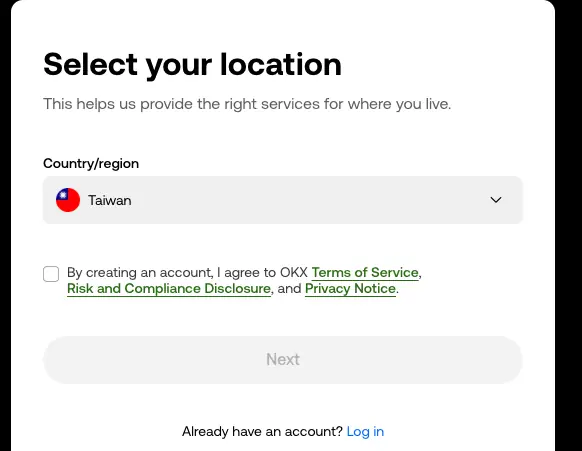
This one choice affects more than the form. OKX says its services are run by different legal entities in different jurisdictions. Where you live, local law and the entity for that region all affect whether you can use the platform, and how. Even in a supported country, some trading pairs, services or withdrawal options may be unavailable.
Locations OKX lists as restricted
OKX's Risk & Compliance Disclosure (last updated 8 July 2026) says it may restrict or prohibit all or part of its services in Restricted Locations. The current list is Afghanistan, Canada, Cuba, Hong Kong, Iran, India, Japan, Malaysia, Nepal, North Korea, Syria, the Crimea, Donetsk and Luhansk regions of Ukraine, Uzbekistan, and certain jurisdictions within the United States, including all US territories (Puerto Rico, American Samoa, Guam, the Northern Mariana Islands and the US Virgin Islands).
The same paragraph says OKX may restrict services in other jurisdictions "including but not limited to" these, and names the services it specifically means:
| Country | Services OKX names |
|---|---|
| Australia | Derivatives-related and CeFi-related services |
| Bahamas | Retail products |
| Brazil | Derivatives-related and P2P services |
| Eritrea | P2P services |
| Russia | Fiat payment services |
| South Korea | Derivatives-related and P2P services |
| United Kingdom | Derivatives-related, CeFi-related and P2P services |
OKX's verification help article adds that it stopped providing centralized virtual asset trading services to Hong Kong residents on 31 May 2024. The OKX Web3 self-hosted wallet is not affected.
Readers in mainland China, or anywhere else crypto services are banned, should not use this walkthrough.
If your country or region doesn't appear in the sign-up dropdown, OKX says the current registration process doesn't support it. Don't pick another location to get past this. OKX says so on both the registration and identity-verification pages. Don't use a VPN or another person's details to get a different result either.
US residents: OKX US is a separate company
OKX's Terms of Service name OKX Inc., a Delaware corporation trading as "OKX US", as the provider for users who live in the United States and its territories, in locations where OKX US is approved to operate. It has its own local terms. The steps on this page follow the okx.com sign-up flow. If you live in the US, read the OKX US terms first.
The OKX company named in your contract
The Terms of Service (last updated 17 September 2026) begin with a list of OKX entities. Which one you contract with depends on where you live and, in some regions, when you registered. The main entries:
| Where you live | Entity named in the Terms |
|---|---|
| European Economic Area | OKX Europe Limited and OKX Europe Markets Limited (both Malta) |
| United States (approved locations) | OKX Inc. ("OKX US") |
| Australia | OKX Australia Pty Ltd and OKX Australia Financial Pty Ltd |
| United Arab Emirates | OKX Middle East Fintech FZE |
| Brazil | OKX Serviços Digitais Ltda., for users who registered on or after 15 June 2023 or were migrated to it |
| El Salvador and Argentina | OKX Fintech, S.A. de C.V. and its Argentina branch, for users who registered on or after 19 February 2026 |
| Singapore | OKX SG Pte. Ltd. for licensed activities; OKX Financial Pte. Ltd. for certain unlicensed, unregulated activities |
| All other eligible users | Aux Cayes FinTech Co. Ltd. (Seychelles) |
The Terms contain more detail than this table, including further Latin American countries and registration-date rules. Read the version shown to you at sign-up. The checkbox on the first screen links to it.
OKX sign-up on the website, screen by screen
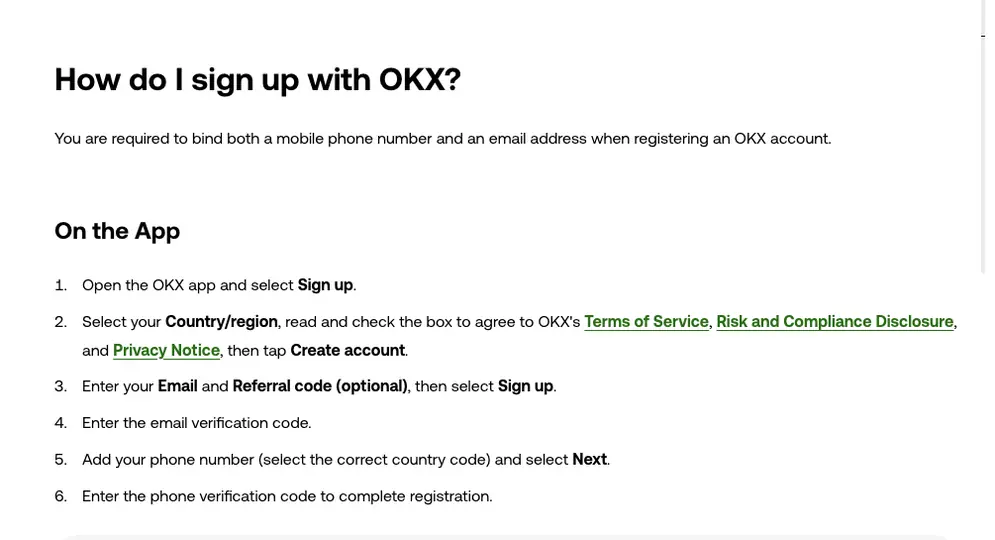
On a computer, type okx.com into the address bar yourself and select Sign up. OKX's app-security guide warns about search-engine ad links, so don't open the site from an ad. The steps below follow OKX's registration articles. Button labels can change, so if the page wording differs, go by the page.
- Location and terms. Choose your Country/region. Tick the box agreeing to OKX's Terms of Service, Risk and Compliance Disclosure and Privacy Notice, then continue. In the October 2026 capture above the button read Next. OKX's shorter sign-up article calls it Create account.
- Email and referral code. Enter your email address in the Email address field. If you have a referral code, enter it now in Referral code (optional). Then select Sign up.
- Email code. OKX sends a six-digit code to that address. You have 10 minutes to type it into the Enter your email code field. Select Next.
- Phone number. Pick your country code, type your number in the Phone number field and select Verify now.
- Phone code. A second six-digit code arrives by text. You have 10 minutes again; enter it in Enter your phone code and select Next.
- Password. OKX's longer registration article ends with a Password field. Combine numbers, letters, symbols, and upper and lower case. Don't reuse a password from another site. OKX's own instruction is to never share it with anyone, including people who claim to work for OKX.
OKX's shorter sign-up article says registration is complete once the phone code is entered and doesn't mention a password screen. If no password step appears for you, follow the page.
When the phone number is rejected as invalid
OKX's checklist for an invalid number: choose the right country code from the dropdown and don't type it again in the number field. Remove extra spaces and any leading zero added by mistake. The rest of the number should follow your local mobile format.
When the page says your email or phone is already registered
Each email and phone number can belong to only one OKX account. If you have used it before, try logging in with password recovery. If you think someone else opened an account with your details, contact OKX customer support.
Opening the account for a company instead
The flow above creates an individual account, for one person using their own email, phone and identity. A company, fund, trust or other legal entity applies through OKX's corporate or institutional registration portal. OKX allows one individual and one corporate account, each registered and verified separately. The two types generally can't be converted into each other.
Signing up in the OKX app: what differs from the website
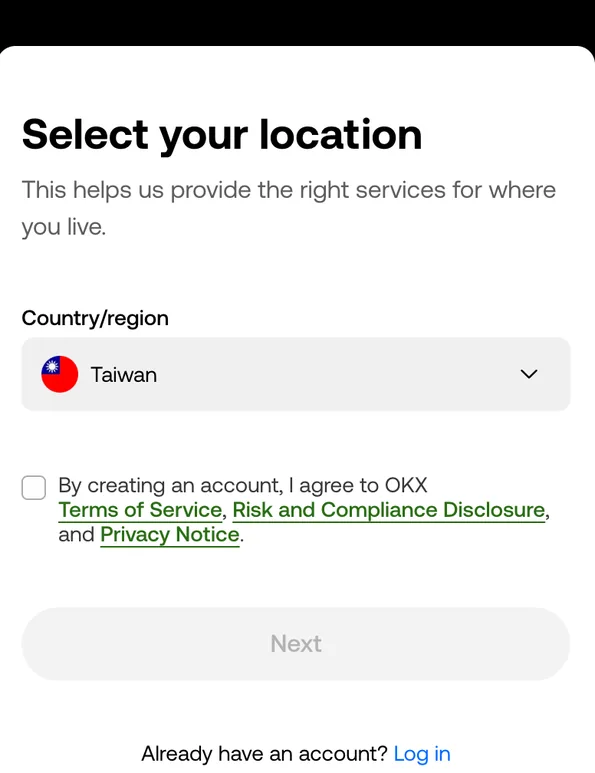
The app asks for the same details in the same order. What changes is a few button names and where you get the app from. Open the OKX app and tap Sign up. Choose your Country/region, tick the terms box and tap Create account. Enter your email and, if you have one, a referral code, then tap Sign up. Enter the email code, add your phone number with the correct country code, tap Next and enter the phone code.
Get the app from okx.com, not from a link someone sent you
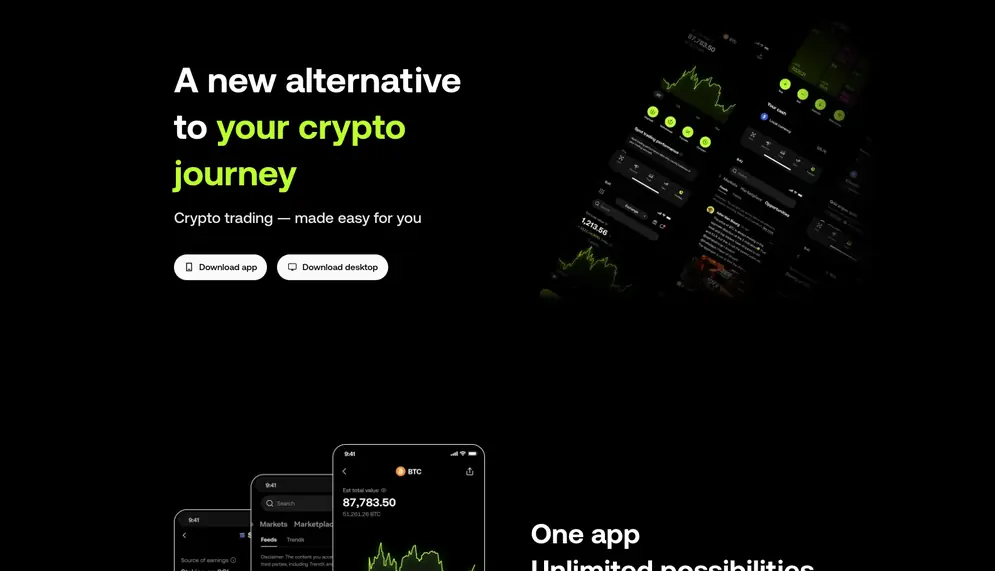
Start from OKX's official download page. In the October 2026 capture it showed two buttons, Download app and Download desktop. OKX says the desktop app is available for Windows and macOS, and that the web version works on any device, Mac included, with nothing to install.
For Android, OKX's Android download article gives two official routes:
- On the download page, go to Android > Download FAQ > Copy APK download link, then open that link in your phone's browser.
- On okx.com, select the download icon in the upper right and scan the QR code. OKX recommends scanning with a browser.
OKX's app-security guide also advises against scanning the code with social or messaging apps, because some third-party apps alter redirect links. If the official link doesn't work, OKX says to email "Download OKX app" to download@okx.com or contact official support.
OKX warns against installing the app from chat groups, search ads, cloud drives, third-party APK mirrors or links from strangers. If the page, the package, the developer details, the permission requests or the sign-in flow looks wrong, stop. Don't enter your password, a verification code, a seed phrase or a private key.
Where the OKX referral code goes, and why you can't add it later
On the email screen there's a field labelled Referral code (optional). Expand it and type the code. It's optional: OKX says leaving it blank doesn't affect registration. What you can't do is add it afterwards. OKX's Referral Program FAQ says the code must be applied before sign-up is completed. After registration, a referral relationship usually can't be added or changed.

Referral relationships are confirmed only through the code, so it has to be typed exactly. If you use the code on this page, BTC6886, check it before you select Sign up. Common situations:
| What happens | What OKX says to do |
|---|---|
| There's no referral code field | Sign up through the referral link instead. The invite page may ask for your email first to bind the invitation; finish sign-up with that same email. |
| You opened the link on your phone, then downloaded the app separately | The code carried by the link may not apply. Reopen the link, enter your email on the invite page, download and open the app through the link, and sign up with the same email. If the code still isn't filled in, type it manually. |
| The referral link won't open | Sign up directly in the app and enter the code by hand. |
| You clicked an ad or another campaign page during sign-up | OKX assigns the account to whichever channel it recorded during sign-up, so a different channel may take precedence. |
| You forgot the code or entered a wrong one | It usually can't be fixed after registration. Don't delete the account and sign up again. OKX says that doesn't restore referral or new-user eligibility, and multiple accounts break the program rules. |
Email or SMS code missing during OKX sign-up
OKX's troubleshooting article is written for codes sent to the phone or email already linked to an account and doesn't single out sign-up, but the inbox and phone checks still apply. The registration codes themselves are valid for 10 minutes, so request a fresh one if the first has expired.
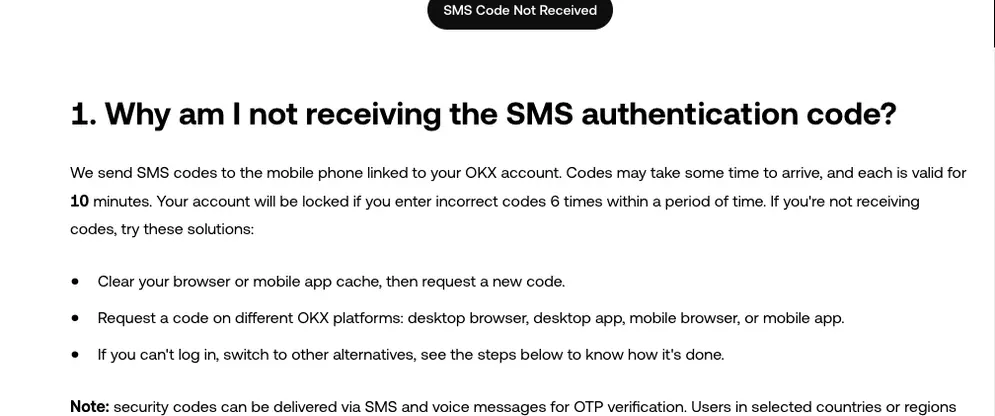
| Missing code | What OKX suggests | Wait before retrying |
|---|---|---|
| Email code | Check spam, junk and your mail filters, and clear space if the spam folder is full. Add noreply@mailer1.okx.com, noreply@mailer2.okx.com, noreply@service2.okx.com and noreply@service3.okx.com to your whitelist. If you're in the app, update it (Menu > About OKX > Check updates). | 10 minutes after whitelisting. 1 hour if the page says the code failed to send. |
| SMS code | Restart the phone, swap SIM slots on a dual-SIM phone, make room in the SMS inbox, and turn off any blocking or filtering app for now. Your carrier's app or website can show whether the message was delivered. If you recently switched carriers and kept your number, tell OKX support. | About 2 hours if you see "SMS sending failed". |
OKX says security codes can be sent by SMS or voice message, and that users in selected countries or regions can get them through internet messaging services. The options on your screen are what applies to you. For SMS codes on an existing account, OKX also warns that six wrong entries within a period of time lock the account. Request a new code rather than guessing.
If sign-up keeps failing, recheck the phone number, email and codes you typed, then switch between Wi-Fi and mobile data. If nothing works, use OKX's official customer support. When the email code is the problem, OKX asks for your app version, a screenshot of the code countdown, the email address and the time you requested the code.
Passing OKX ID verification after sign-up, and fixing a rejection
Until you pass identity verification, OKX blocks buying, selling, depositing, withdrawing (including internal transfers), borrowing and transferring funds. You must also be at least 18.

Which IDs the verification page accepts
On the identity-verification page, select your actual country or region of residence and your nationality. The page then lists the document types and services available for that combination. According to OKX's eligibility article, passports, national identity cards, driving licences, residence permits and other government-issued documents are common, but the list on your page is final. Türkiye and the UAE are named as having more specific document requirements.
Use your own valid, original document and do the facial check yourself. OKX says a photocopy, screenshot, image on another screen, older photo, electronic credential from another app or photo of you holding the document doesn't replace the original-document check, unless the page offers that method. If your document is in an unsupported script (OKX's examples are Arabic, Sinhala and Burmese), upload a document with Latin characters or an international passport.
While it's under review
OKX says most reviews finish quickly, but some need extra checks. Watch the verification page, your OKX homepage and your registered email. If the status shows Submitted or Under review and there's no new task, don't send the same documents again. If nothing changes after the timeframe shown on the page, contact official support with your submission date and the page status.
Common rejection reasons
Start with the reason shown on the page or in your email. These are the causes OKX lists most often, with the fix from its verification failure article:
- Blurry, cropped or partly covered photo
- Retake it in colour, showing all four corners, with your name, date of birth and expiry date readable and no glare. Don't edit the image.
- Expired or unsupported document
- Use a valid document from the list on your page.
- Face doesn't match, or the face check fails
- Centre your face, use good light, keep only one person in frame and follow the on-screen movement prompts.
- Proof of address rejected (if you're asked for one)
- It must show your own name and full residential address. OKX says it must have been issued within the last three months.
- ID already used on another account
- One set of identity information can verify only one account. Contact support rather than opening another account.
If the camera won't open or the final step hangs, allow camera access for OKX in your phone's settings, update to the latest official app and stay on one stable network while the check runs. Take a screenshot of any error first.
Once identity verification is complete, OKX says it can't be changed or cancelled, and switching to another person or another document isn't supported. Verify with your own details from the start.
Securing a new OKX account before your first deposit
A new account has no balance yet, which makes this the easiest time to set up security. OKX's help articles point to these settings.
Turn on passkey login
OKX supports FIDO passkeys as a two-factor method. They allow password-free login without authentication codes, using your device's biometrics, a PIN or a USB security key. OKX's passkey article (web) lists the minimum setup:
- Windows 10 or macOS Ventura, a mobile device on iOS 16.0.0 or Android 7.0 or later, or a FIDO2 USB key.
- Chrome 109+, Safari 16+ or Edge 109+.
Log in at okx.com and go to Profile > Security. Find Passkeys, select Set up, then Enable passkeys, and complete the security check. Choose to create the passkey with this device, a USB security key or a different device (you scan a QR code with it). If you later remove a passkey without verifying with another passkey, OKX may restrict withdrawals and P2P trading for 24 hours.
Set up an authenticator app and check your devices
OKX lists an authenticator app among its alternative verification methods. Its app-security guide recommends binding one if you haven't. The same guide suggests opening the security center's device management list and removing any device you don't recognise, then changing your password. Your OKX password should be used only for OKX.
Know how OKX contacts you
Calls and messages that claim to be from OKX can be checked on its official channel verification page. Choose the channel type, enter the channel details and select Verify.
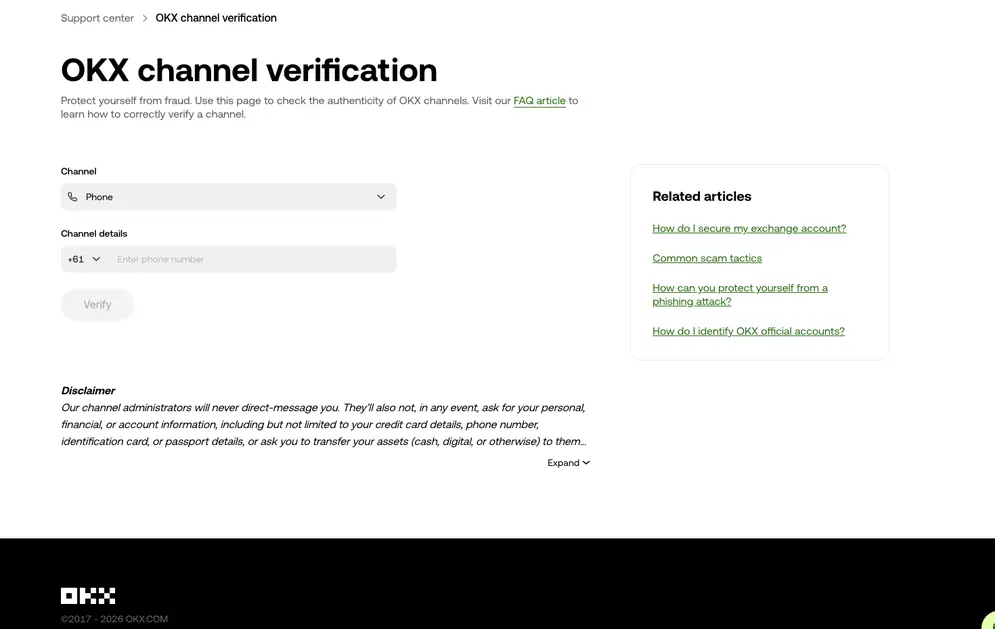
The page's disclaimer says OKX channel administrators never direct-message users. They never ask for personal, financial or account details, or ask you to transfer assets to them or anyone else. Never give out your password, verification codes, seed phrase or private key, whoever is asking.
One more timing rule: if you change or unlink your phone number later, OKX blocks withdrawals and P2P trading for 24 hours.
After verification: deposits, the Trade menu and demo mode
Once verified, you reach the account dashboard. OKX's registration article suggests making a deposit next, or sending crypto from another platform or wallet if you already hold some. Under the Trade menu, OKX asks about your trading experience before you start. The same menu has Demo trading, which uses test assets rather than real funds.
A successful registration doesn't mean every product is open to you. OKX says the trading products, payment methods, deposit and withdrawal options and derivatives available to you depend on your service entity, country of residence, account type, local requirements and completed checks. The features shown in your account are what's actually available. OKX's risk disclosure also notes that crypto is not backed by any government or central bank, and losses from trading or holding it can be substantial.
Quick answers before you sign up for OKX
Do I need a referral code to create an OKX account?
No. OKX lists the referral code as optional, and leaving it blank doesn't affect registration. If you want to use one, enter it on the email screen before you finish signing up. See where the referral code goes.
I typed the wrong referral code. Can OKX fix it?
Usually not. OKX says the code must be applied before sign-up is completed and can't be added afterwards, and that after registration a referral relationship usually can't be added or changed. Deleting the account and registering again doesn't restore referral or new-user eligibility, and opening multiple accounts breaks the program rules.
Should I select my nationality or my country of residence when signing up?
Your country of residence: the place where you currently and ordinarily live. OKX says this is generally not your nationality, your passport country or a temporary travel destination, unless you also live there.
Is OKX US the same as okx.com?
No. OKX's Terms of Service name a separate company, OKX Inc. ("OKX US"), for users living in its approved US locations, with its own local terms. OKX's Risk & Compliance Disclosure lists certain US jurisdictions, including all US territories, as restricted locations. This guide follows the okx.com sign-up flow.
Why is my country missing from the OKX registration list?
OKX says that if a country or region isn't shown, the current registration process doesn't support it. Don't choose a location that doesn't match where you actually live to get around this.
What can't I do on OKX until my ID is verified?
Quite a lot. OKX says an account that hasn't completed identity verification can't buy or sell crypto, deposit or withdraw assets (including internal transfers), borrow or transfer funds. Creating the account itself doesn't need the ID check.
Can I keep one personal and one company account on OKX?
Yes. OKX allows one individual account and one corporate or institutional account, each registered and verified separately through its own process. A second individual account isn't allowed: each phone number and email address can register only one account, and one identity document can be linked to only one.
I'm under 18. Can a parent open an OKX account for me?
No. OKX requires users to be at least 18, or the minimum legal age shown on the registration page. It says parental consent can't be used as an exception, and it forbids registering with a parent's or another person's identity.